
Follow a sample rental.
See how the work connects.
Choose a step to explore booking, payment details and the delivery day. This is a guided illustration—not a live booking terminal.
All names, dates, availability and amounts below are sample data. No booking or payment can be submitted.
Check the date
before taking the order.
SRS checks the selected rental period against inventory and configured rules. Package components count against the equipment they use.
- Check overlapping rental quantities
- Apply configured cleaning buffers
- Check delivery-area rules before checkout
Make the deposit
and balance clear.
Offer the payment terms you configure and keep the amount paid and balance due with the order. Payment methods depend on your connected account and eligibility.
- Fixed or percentage deposit settings
- Configured delivery fees and taxes
- Remaining balance and payment reminders
Turn the booking
into the day’s work.
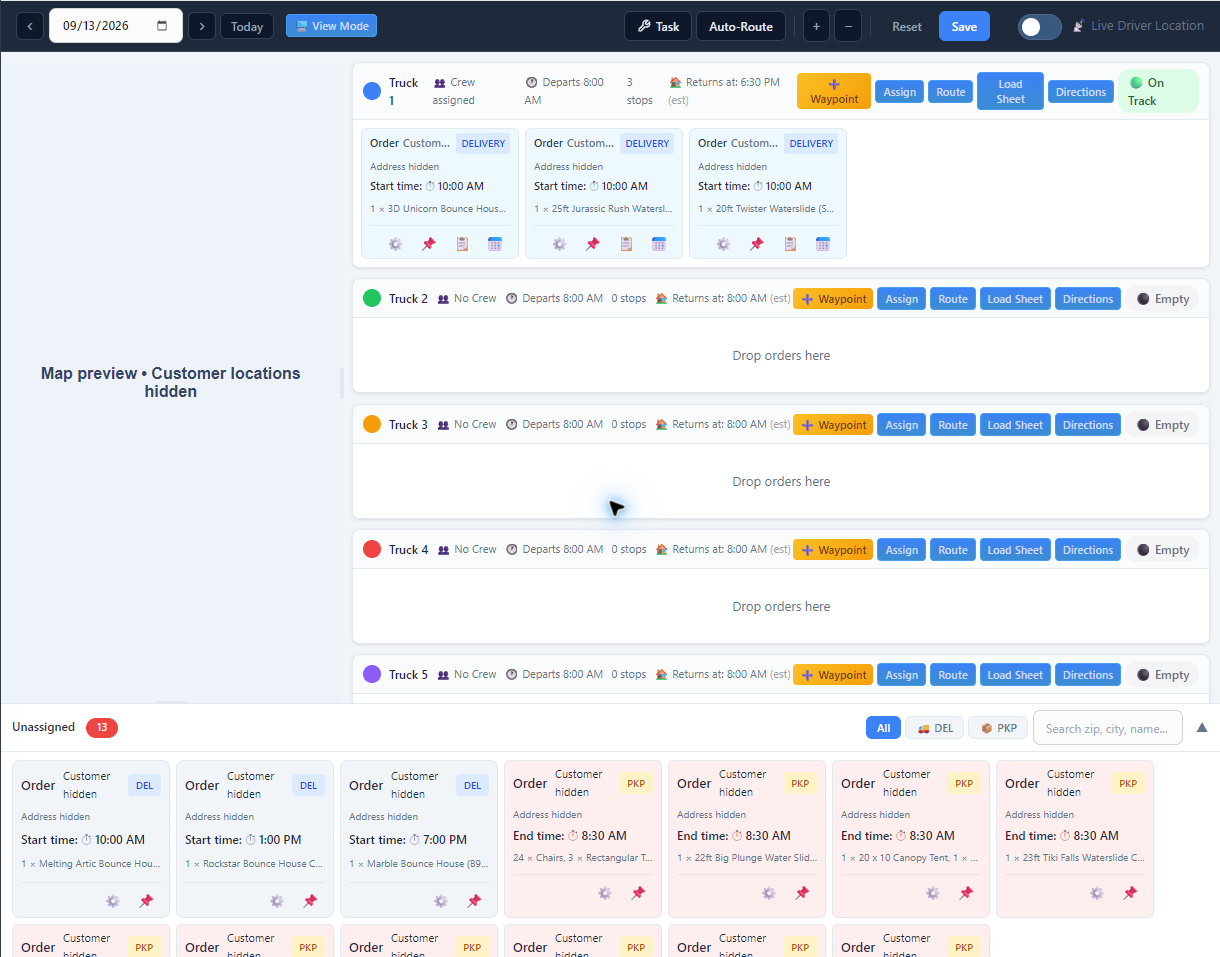
Review the equipment, times, location and notes before loading. Assign deliveries and pickups to trucks and crews.
- Keep item quantities and booking notes together
- Review the route before sending the crew
- Prepare the load and route sheets
Give the crew
the details it needs.
Drivers can review assigned stops, open directions and record delivery progress. Photos and signatures help keep a record of what happened at the stop.
- Assigned deliveries and pickups on a phone
- Equipment and stop instructions
- Photos, signatures and completion updates
Driver updates and location sharing depend on permissions and connectivity.

Want to use your own rental example?
Choose a plan to start, or ask our team to walk through your catalog, pricing and delivery requirements.